Weekly content, November 2026
Carousel covers that move.
- Reels
- 10
- Clients
- 8
- Made in Flow
- 10
- Credits, shown
- About 304
- Made with
- Credits
- Agent time
Prompt used
The whole carousel. Slide 1 is the one that moves.
How one gets made
The slide goes into Google Flow as both the first and the last frame, so the clip ends where it began and loops.
Google Flow, from the exported slide to the MP4
Run on 18 Nov 2026 with a slide that had not been animated before. 60 credits, about three minutes of generating.
Start with the exported slide Straight from Photoshop or the AI output
 a
- aSlide 1, nothing changed
Pad it to 9:16 Flow only makes 16:9 or 9:16
a bc
- aOriginal slide
- bSame slide, centred, not resized
- c285 px bands in the slide's edge colours
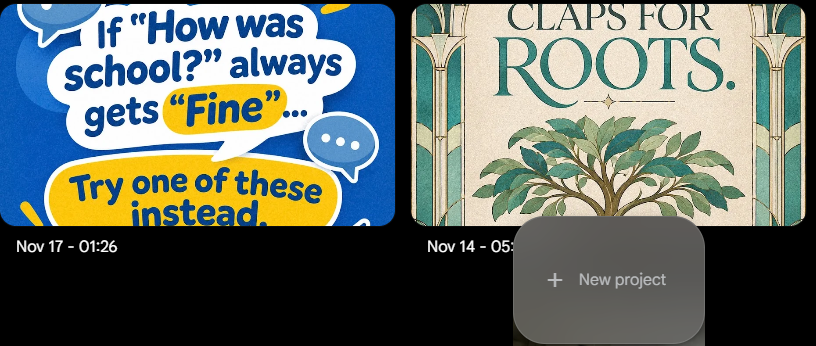
Start a new project flow.google.com, on a Pro account
a
- aNew project
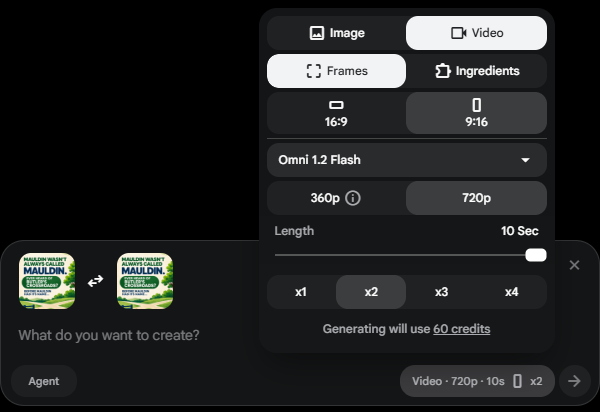
Set it, check the cost Flow shows the credits before you generate
a
b
c
d
e
f
- aVideo, Frames
- b9:16
- cOmni 1.2 Flash
- d720p, 10 s
- eTwo takes
- f60 credits
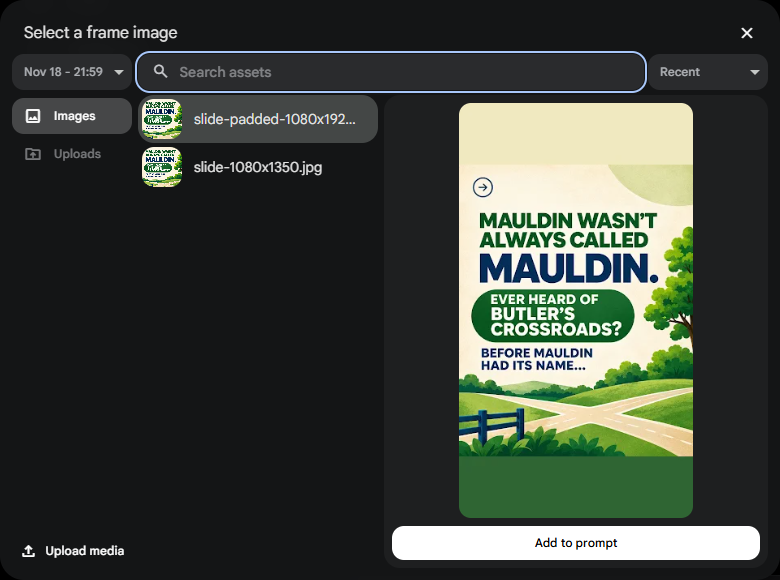
Upload the padded frame Click Start, upload, then pick it. Repeat for End
a
b
c
- aUpload media
- bPick the padded file, not the raw slide
- cAdd to prompt
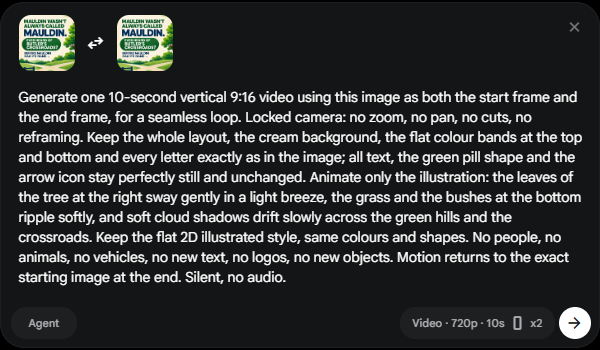
Write the prompt, generate Same frame at both ends, so it loops
a
b
c
d
- aStart frame
- bEnd frame, same image
- cPrompt: lock the camera, name what moves
- dGenerate
Two takes come back About three minutes
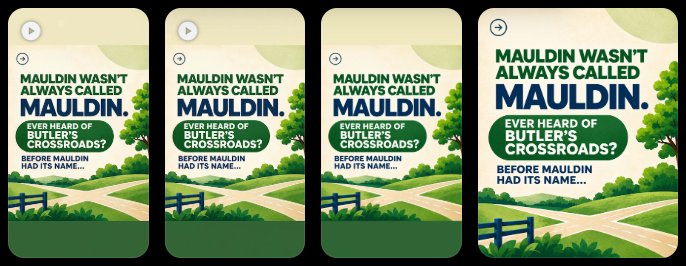
a
b
c
d
- aTake 1
- bTake 2
- cPadded frame
- dRaw slide
Download each take The 720p original, not the 1080p upscale
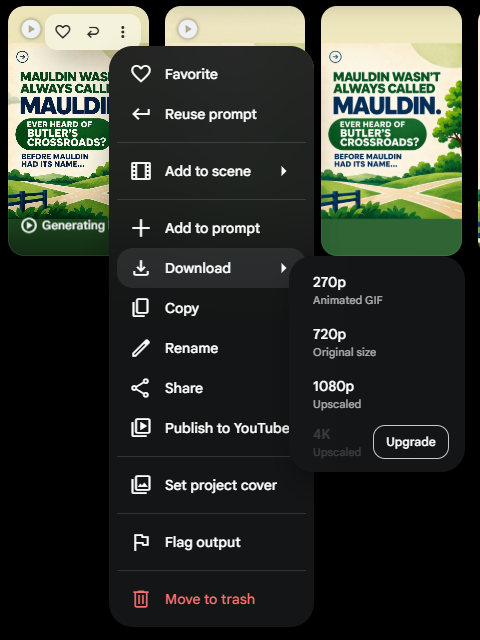
a
b
c
- aMore options
- bDownload
- c720p, original size
Crop back to 4:5 Cut off the same bands that were added
 ab
 c
- aFlow's clip
- bKeep the middle 4:5
- cFinished reel
Check every take Same prompt, two different results
a
Take 1b
Take 2- aShadows and loose leaves cross the type
- bType untouched, motion stays on the ground
ChatGPT GIF, from the exported slide to the MP4
Same slide, same day, in ChatGPT on the CCM workspace. No padding step.
Start with the exported slide The same 1080 × 1350 file
a- aSlide 1, nothing changed
Attach the slide New chat, plus button, Add photos and files
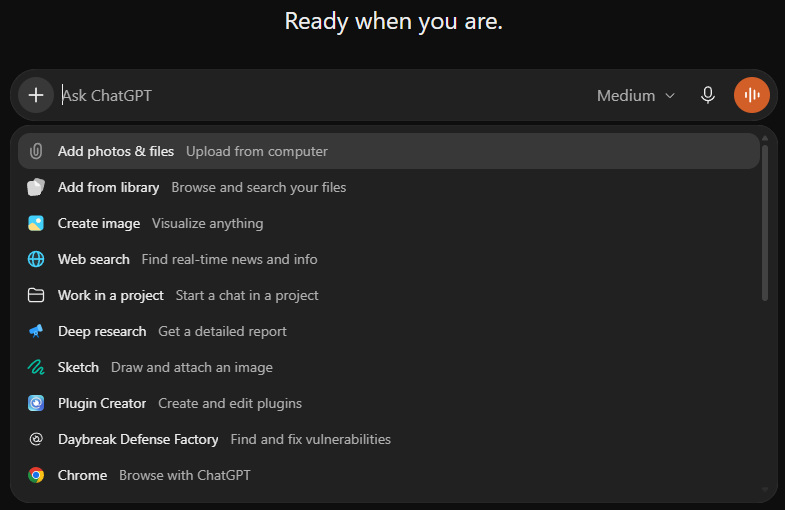
a
b
- aPlus button
- bAdd photos and files
Ask for a looping GIF Say what stays still and what moves
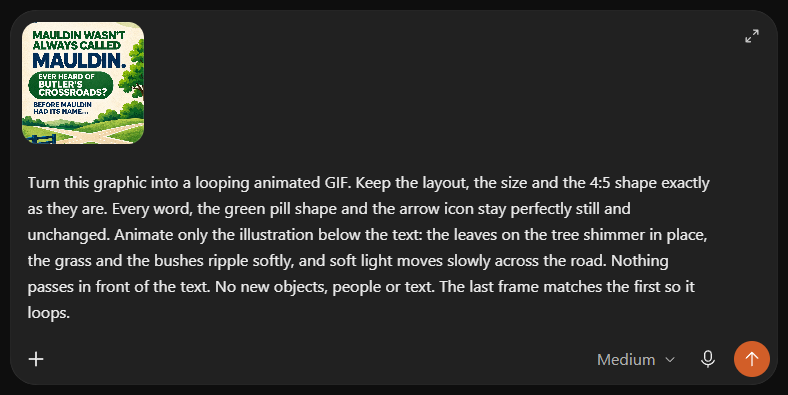
a
b
c
- aAttached slide
- bPrompt
- cSend
One GIF comes back In the chat, already looping
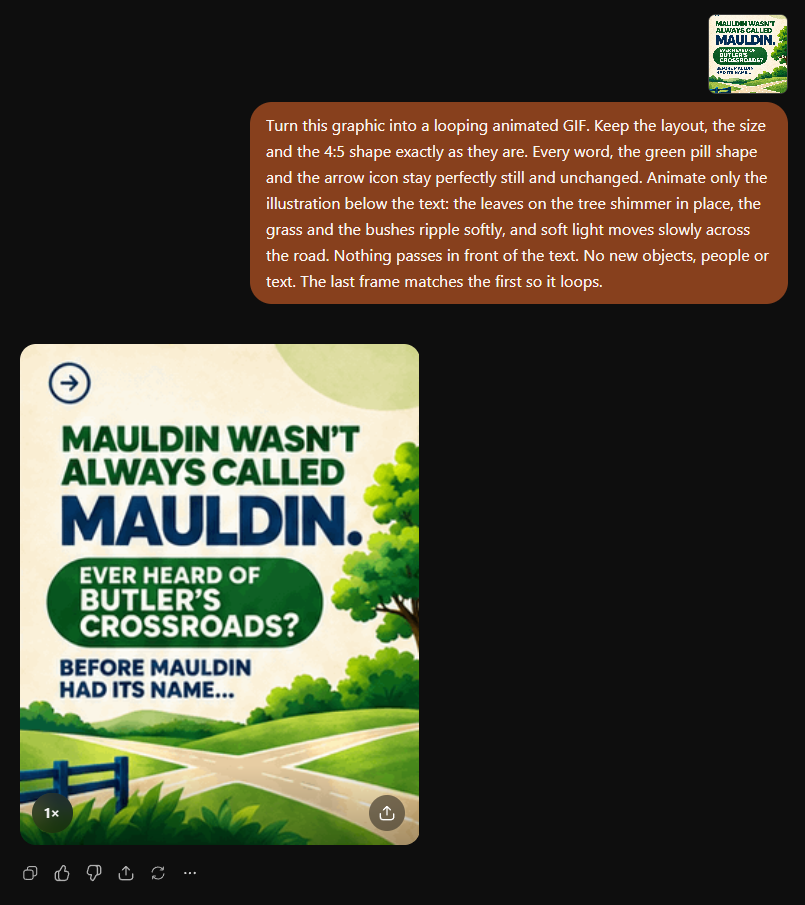
a
b
c
d
- aYour slide
- bYour prompt
- cThe GIF, click to open
- dPlayback speed
Open it and download Download arrow, top right
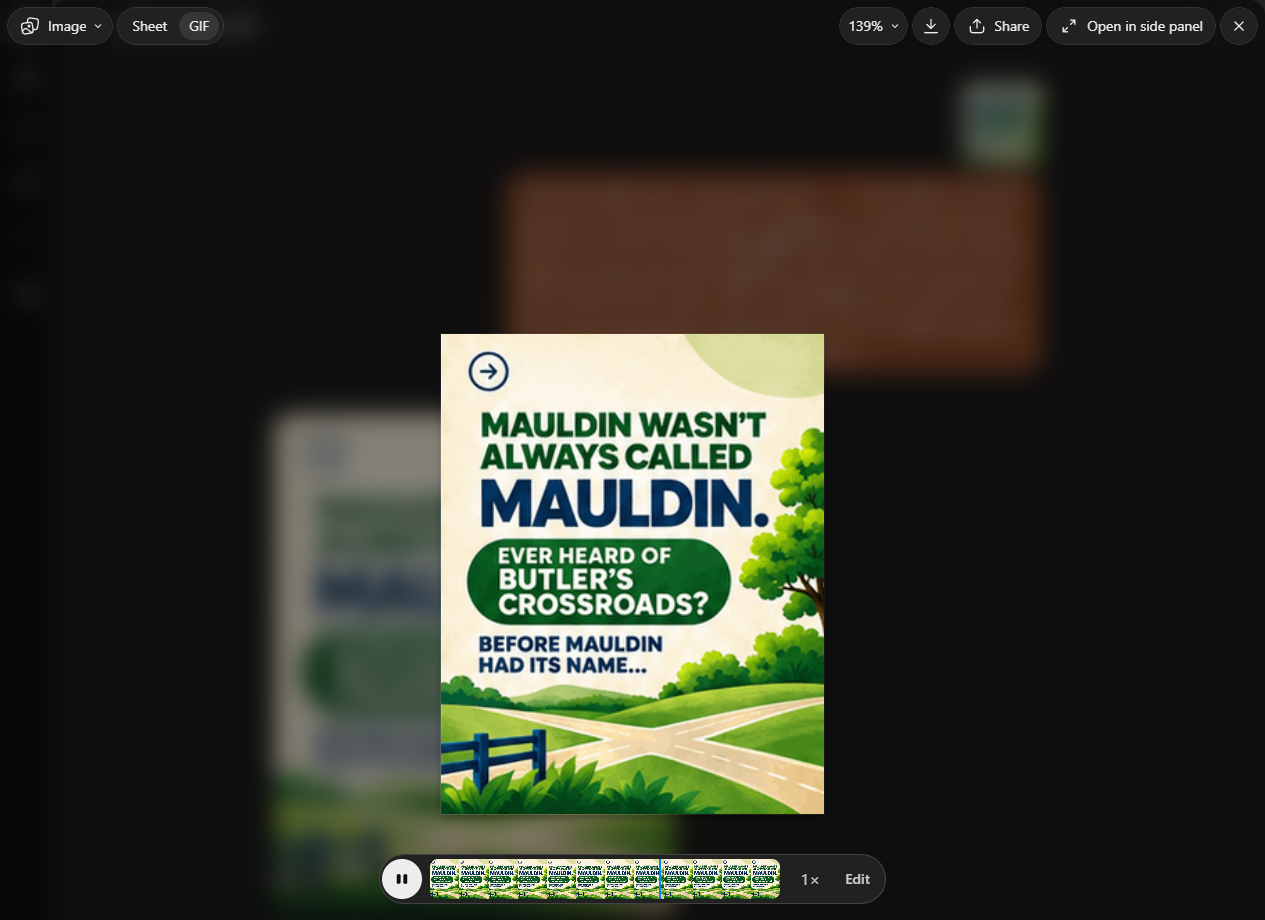
a
b
c
- aSheet or GIF view
- bDownload GIF
- cThe 16 frames
What the file is Shown to scale against the slide
a
- aThe slide
- bThe GIF: 16 frames, 2.4 s, 0.8 MB
Convert to MP4 Enlarge 3.9 times and repeat the loop
a
1080 × 1350 MP4, 9.6 s- aLooped four times, enlarged to the slide's size
The two methods, side by side
Same slide, one run each. The prompts were not identical: the ChatGPT one asked for less motion.

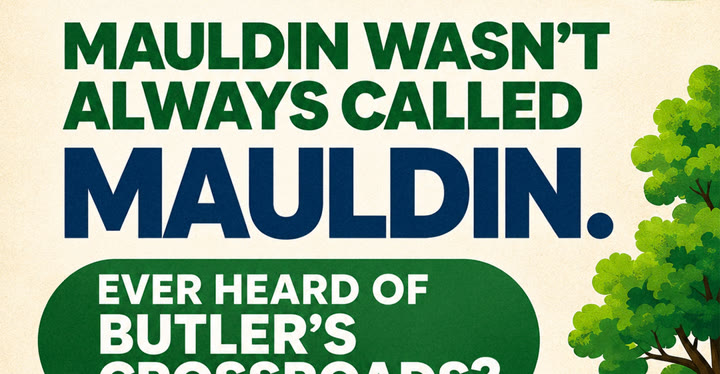
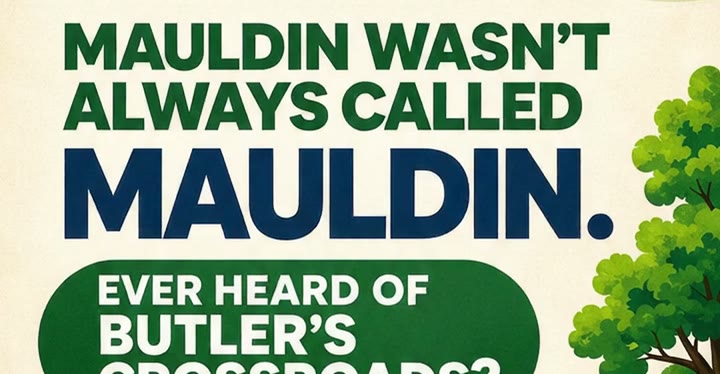
| Measured on this run | Google Flow | ChatGPT GIF |
|---|---|---|
| What you upload | Slide padded to 9:16 first | Slide as exported |
| File that comes out | MP4, 720 × 1280 | GIF, 276 × 346 |
| Enlargement to 1080 × 1350 | 1.5 times, then crop | 3.9 times |
| Length | 10 s | 2.4 s, repeated to 9.6 s |
| Frames a second | 24 | 6.7 |
| Takes per run | 2 | 1 |
| Cost | 60 credits, about $1.20 on Pro | Inside the ChatGPT plan, limit not checked |
| Layout | Slide's own pixels, animated | Slide redrawn small |
| What went wrong | Take 1: shadows and leaves over the type | Nothing crossed the type |
| Extra step to MP4 | Crop | Enlarge, loop, convert |
Flow redraws typeLay the original text back on top
Skip the 1080p upscaleIt adds texture. Upscale the 720p file instead
Check every takeIt can invent faces, leaves or objects
What it costs
One seat makes 16 reels a month
Google AI Pro, 1,000 credits. Each block is one reel with two takes.
01,000 credits
- One 10 s take
- 30 credits
- One reel
- 60 credits
- Per reel
- $1.20
- Per seat
- $19.99
What these versions used
Displayed versions only; earlier attempts excluded.
RecordedEstimated
Nine designers, one seat each
$179.91 a month for the team, whatever the volume up to 144 reels.
| Each designer makes | Reels a month | Seat used | Cost per reel |
|---|---|---|---|
| 1 reel a week | 36 | 240 of 1,000 | $5.00 |
| 2 reels a week | 72 | 480 of 1,000 | $2.50 |
| 4 reels a week | 144 | 960 of 1,000 | $1.25 |
How these numbers were worked out
- Flow charges 3 credits a second for Omni Flash 1.2 at 720p, so a 10-second take is 30 credits. Two takes per reel is our usual setting.
- $19.99 for 1,000 credits is 2 cents a credit, so 60 credits is $1.20 when a seat is fully used.
- The table counts four weeks a month and no retries. A retry adds 60 credits.
- Monthly credits do not roll over. Extra credits can be bought on Pro; Google does not list pack prices.
- Nine designers is the current weekly design team. Each needs their own Google account.
- The four stronger-motion redos on 18 Nov used 30 credits each: Due Season, Samaritan Health, Life Springs and Faith Fellowship carousel 1 (120 total). Earlier attempts are excluded from the bars. Mauldin used 60, Godchasers 24 and Faith Fellowship carousel 2 used 10. Cathedral and both Covenant reels are estimated at 30 each.
- Agent time for the unchanged reels comes from session logs. The four redos were not individually timed.
- The Pro account held 348 credits after the four redos on 18 Nov 2026 and resets on Dec 13.
- Prices from Google, read 17 Nov 2026: plans and Flow credits.
Next, the whole team.
A still asks for a glance. A loop earns a second one.